
How to Rank #1 on Google Maps is one of the most valuable questions every local business owner should ask. Whether you run a digital marketing agency, dental clinic, salon, restaurant, real estate business, coaching institute, or retail store, appearing at the top of Google Maps can dramatically increase your visibility, phone calls, website visits, and qualified leads.
After 10+ years of hands-on experience in Local SEO and Google Business Profile optimization, I’ve learned that ranking on Google Maps isn’t about finding shortcuts or tricks. It’s about building trust, demonstrating relevance, maintaining consistency, and creating an outstanding experience for your customers—both online and offline.
Many businesses assume that simply creating a Google Business Profile is enough to rank. In reality, Google evaluates hundreds of signals before deciding which businesses deserve the top positions in the Local Pack. From business categories and customer reviews to website authority, local citations, user engagement, and profile activity, every detail contributes to your ranking.
In this comprehensive guide, I’ll walk you through the exact strategies I’ve used to help local businesses improve their Google Maps visibility, generate more qualified leads, and build long-term authority. Whether you’re starting with a new profile or trying to improve an existing one, these proven techniques can help you move closer to the top of Google’s local search results.
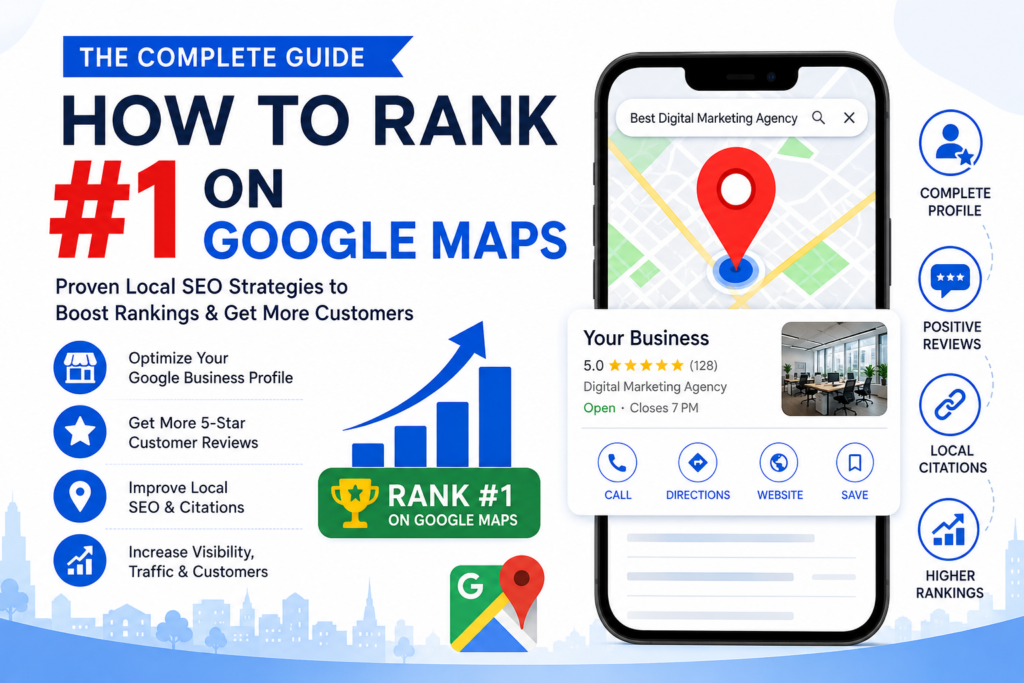
Why Ranking #1 on Google Maps Matters More Than Ever
When people need a product or service nearby, their first instinct is to search on Google. They type queries like:
- Digital Marketing Agency near me
- Best Dentist in Patiala
- Restaurant near me
- SEO Company in Ludhiana
- Gym near me
Before users even scroll through traditional search results, Google displays a map along with the top three local business listings—commonly known as the Google Local Pack.
Businesses that secure one of these top positions receive the majority of local attention because users trust Google’s recommendations. A higher Google Maps ranking can lead to:
- More qualified phone calls
- Increased website traffic
- Higher footfall for physical stores
- Better brand credibility
- Improved local visibility
- More direction requests
- Increased bookings and sales
- Lower customer acquisition costs compared to paid advertising
For most local businesses, Google Maps is one of the highest-converting marketing channels available.
Understanding How Google Maps Ranking Actually Works
Many business owners believe that Google Maps rankings are random. They aren’t.
Google publicly states that local rankings are determined by three core factors: Relevance, Distance, and Prominence. However, based on years of Local SEO experience, it’s clear that Google also evaluates dozens of supporting signals.
Let’s understand each ranking factor in detail.
Relevance – Does Your Business Match the User’s Search?
Relevance measures how closely your Google Business Profile matches what someone is searching for.
Google looks at information such as:
Primary Business Category
Your primary category is one of the strongest ranking signals. Choosing the wrong category can prevent your business from appearing for important searches.
Secondary Categories
Secondary categories help Google understand additional services your business offers without diluting your primary focus.
Services and Products
Businesses with detailed service and product information are easier for Google to understand and are more likely to appear for relevant searches.
Business Description
A clear, informative business description that naturally includes your primary services and location helps Google connect your profile with local search intent.
Business Attributes
Attributes such as “Wheelchair Accessible,” “Women-Owned,” “Online Appointments,” or “Free Wi-Fi” provide additional context and improve profile completeness.
Expert Insight: Many businesses choose broad categories instead of highly relevant ones. Selecting the most accurate category often delivers better results than adding too many unrelated categories.
Distance – How Close Is Your Business to the Searcher?
Distance refers to the physical proximity between your business and the user’s location or the area specified in their search.
For example:
- “SEO Company in Patiala”
- “Coffee Shop near me”
Google calculates how close your verified business location is to the searcher.
Although you cannot change where your customers are located, you can improve your local relevance by clearly defining your service areas, maintaining consistent address information, and creating location-specific content on your website.
Prominence – Why Google Trusts Some Businesses More Than Others
Prominence is Google’s way of measuring your business’s reputation and authority.
Google evaluates signals such as:
- Number of customer reviews
- Average review rating
- Review freshness
- Website authority
- Local backlinks
- Brand mentions
- Business citations
- Google Business Profile activity
- User engagement
- Local media coverage
Think of prominence as your business’s online reputation. The stronger your authority, the more likely Google is to recommend your business over competitors.
The Biggest Myth About Ranking #1 on Google Maps
Many businesses believe that buying fake reviews, stuffing keywords into their business name, or making constant edits to their profile will quickly improve rankings.
This approach rarely works in the long term.
Google’s algorithms have become increasingly sophisticated. Instead of rewarding shortcuts, they prioritize businesses that consistently provide accurate information, engage with customers, receive genuine reviews, and demonstrate real-world credibility.
The businesses that dominate local search are usually those that focus on long-term trust rather than temporary ranking hacks.
Before You Start: Audit Your Google Business Profile
Before implementing advanced Local SEO strategies, assess the current state of your Google Business Profile.
Ask yourself the following questions:
- Is your profile verified?
- Have you selected the correct primary category?
- Are all your services listed?
- Is your business description complete?
- Are your business hours accurate?
- Have you uploaded high-quality photos?
- Are you responding to customer reviews?
- Is your website linked correctly?
- Is your phone number consistent across all platforms?
- Are your products and FAQs updated?
Any missing information can reduce your profile’s effectiveness and limit your ability to rank.
Strategy #1 – Fully Optimize Your Google Business Profile
Your Google Business Profile is the foundation of Google Maps SEO. An incomplete or outdated profile sends weak trust signals to Google.
Complete Every Available Section
Don’t leave fields empty. Fill in:
- Business Name
- Address
- Phone Number
- Website
- Primary Category
- Secondary Categories
- Business Hours
- Services
- Products
- Business Description
- FAQs
- Appointment Links
- Attributes
- Opening Date
- Service Areas
Pro Tip
Treat your Google Business Profile like your second website. The more complete and accurate it is, the easier it is for Google to understand and recommend your business.
Strategy #2 – Choose the Right Business Categories
One of the most overlooked Google Maps ranking factors is your Business Category. In our experience managing hundreds of Google Business Profiles, changing the primary category to a more accurate one has often resulted in noticeable ranking improvements within weeks.
Select One Primary Category Carefully
Your Primary Category tells Google what your business is mainly about. It should represent your core service—not every service you offer.
Examples of Primary Categories
- Digital Marketing Agency
- Dentist
- Restaurant
- Real Estate Agency
- Beauty Salon
- Gym
- Car Repair and Maintenance Service
- Educational Consultant
Expert Tip: Before selecting your category, check what the top three competitors in your area are using. If they’re consistently ranking above you, their category choices can provide valuable insights.
Add Relevant Secondary Categories
Secondary categories allow you to showcase additional services without confusing Google.
Example for a Digital Marketing Agency
Primary Category:
- Digital Marketing Agency
Secondary Categories:
- Internet Marketing Service
- Marketing Consultant
- Website Designer
- Advertising Agency
- SEO Consultant
Avoid selecting categories that don’t accurately describe your business, as this can reduce your local relevance.
Strategy #3 – Optimize Every Section of Your Google Business Profile
Many businesses only fill in the basics, leaving valuable ranking opportunities untouched. Google rewards complete, detailed, and regularly updated profiles.
Write a Compelling Business Description
Your business description should clearly explain:
- What your business does
- Who you serve
- Your experience
- Your unique strengths
- Your service locations
Use your primary keyword naturally, but write for people—not search engines.
Example
Instead of:
We provide SEO and digital marketing.
Write:
We help small and medium-sized businesses increase online visibility through SEO, Google Business Profile optimization, website design, social media marketing, and local SEO strategies across Punjab and surrounding areas.
This version is more informative, keyword-rich, and customer-focused.
Add All Your Services
Every service you provide should have its own listing within your Google Business Profile.
For Example
If you own a digital marketing agency, include services such as:
- Search Engine Optimization (SEO)
- Local SEO
- Google Business Profile Optimization
- Website Design
- Social Media Marketing
- PPC Advertising
- Content Marketing
- Graphic Design
- Video Editing
- Email Marketing
Each service helps Google better understand your expertise and increases your chances of appearing for a wider range of searches.
Showcase Your Products (If Applicable)
If your business sells products, upload them with:
- Product Name
- High-Quality Image
- Description
- Price (optional)
- Product Category
Product listings can improve engagement and encourage more customer interactions.
Strategy #4 – Upload High-Quality Photos Regularly
Google wants to recommend businesses that appear active and trustworthy. One of the easiest ways to demonstrate this is by consistently adding fresh, authentic photos.
Businesses with updated photo galleries often receive more profile views, calls, and direction requests.
Types of Photos to Upload
- Business Exterior
- Reception Area
- Office Interior
- Team Members
- Staff at Work
- Before-and-After Projects
- Products
- Customer Interactions
- Company Events
- Logo
- Cover Photo
Avoid using generic stock images. Real photos build trust with both Google and potential customers.
Best Practices for Images
- Upload new photos every week.
- Use clear, high-resolution images.
- Name image files descriptively before uploading (e.g., seo-services-patiala-office.jpg).
- Ensure photos accurately represent your business.
Expert Insight: Consistent photo uploads signal that your business is active, which can positively influence customer engagement.
Strategy #5 – Build a Strong Review Strategy
Customer reviews are one of the most influential local ranking factors—but quality matters more than quantity.
Google looks at:
- Review frequency
- Review freshness
- Overall rating
- Review relevance
- Business responses
Ask Every Happy Customer for a Review
The best time to request a review is immediately after delivering a successful service or completing a purchase.
Simple Review Request
“Thank you for choosing us! We’d really appreciate it if you could take a minute to share your experience on Google. Your feedback helps other customers and supports our local business.”
Keep the process easy by sharing your direct review link.
Respond to Every Review
Whether the review is positive or negative, always respond professionally.
Why Responses Matter
Google notices businesses that actively engage with customers. Thoughtful responses show professionalism and reinforce trust.
For positive reviews:
- Thank the customer.
- Mention the service they used.
- Invite them back.
For negative reviews:
- Stay calm.
- Acknowledge the concern.
- Offer a solution.
- Avoid arguments.
A respectful response can leave a positive impression on future customers.
Strategy #6 – Maintain Consistent NAP Information
NAP stands for:
- Name
- Address
- Phone Number
Consistency across the web is critical.
If your business name is written differently on various websites, Google may lose confidence in your information.
Check These Platforms
- Your Website
- Google Business Profile
- Justdial
- IndiaMART
- Bing Places
- Apple Business Connect
- Local Directories
Even small differences—like using “Road” in one place and “Rd.” in another—can create inconsistencies.
Strategy #7 – Build High-Quality Local Citations
A citation is any online mention of your business’s name, address, and phone number.
Citations help Google verify that your business is legitimate.
Best Citation Sources
- Google Business Profile
- Bing Places
- Apple Business Connect
- Justdial
- IndiaMART
- Sulekha
- Yellow Pages
- Local Chamber of Commerce
- Industry-Specific Directories
Focus on trusted, relevant directories rather than submitting your business to hundreds of low-quality websites.
Quality Over Quantity
One accurate citation on a respected local directory is more valuable than dozens of listings on low-quality sites.
Before submitting your business, double-check that:
- Business name is correct
- Address matches exactly
- Phone number is accurate
- Website URL is current
- Categories are appropriate
Consistent, high-quality citations strengthen your local authority and support higher Google Maps rankings.
Strategy #8 – Publish Google Business Profile Posts Regularly
Many businesses optimize their Google Business Profile once and never update it again. However, Google favors businesses that remain active and consistently provide fresh information.
Google Business Profile Posts allow you to share updates directly with potential customers.
What Should You Post?
- Special offers and promotions
- New service launches
- Customer success stories
- Industry tips
- Blog articles
- Business events
- Holiday announcements
- Company achievements
Publishing one post every week keeps your profile active and increases customer engagement.
Expert Tip: Every Google Post is another opportunity to include relevant keywords naturally and encourage users to visit your website or contact your business.
Strategy #9 – Create Location-Specific Landing Pages
If your business serves multiple cities, don’t rely on a single service page.
Create dedicated pages for each location.
Example
Instead of one page:
- Digital Marketing Services
Create:
- Digital Marketing Services in Patiala
- Digital Marketing Services in Amritsar
- Digital Marketing Services in Ludhiana
- Digital Marketing Services in Jalandhar
- Digital Marketing Services in Chandigarh
Each page should include:
- Unique content
- Local keywords
- Customer testimonials
- Area-specific information
- Embedded Google Map
- Local FAQs
Avoid copying the same content across all pages, as duplicate content can weaken your SEO performance.
Strategy #10 – Build High-Quality Local Backlinks
Backlinks remain one of Google’s strongest trust signals.
A backlink from a reputable local or industry-related website tells Google that your business is credible.
Ways to Earn Local Backlinks
- Partner with local businesses
- Write guest articles
- Sponsor community events
- Join local business associations
- Get featured in local newspapers
- Publish valuable resources that others want to reference
Remember: Quality is always more important than quantity.
Strategy #11 – Optimize Your Website for Local SEO
Your website and Google Business Profile work together. A weak website can hold back your Google Maps rankings.
Essential Website Optimization Checklist
- Fast loading speed
- Mobile-friendly design
- HTTPS security
- Clear service pages
- Contact page with NAP details
- Embedded Google Map
- Internal linking
- Optimized title tags and meta descriptions
- Image optimization
- Local Business Schema markup
A technically sound website improves user experience and reinforces your local relevance.
Strategy #12 – Track Your Performance and Improve Continuously
SEO is an ongoing process. Monitor your results regularly to identify what’s working and where improvements are needed.
H3: Metrics to Track
H4:
- Google Business Profile views
- Website clicks
- Phone calls
- Direction requests
- Customer reviews
- Keyword rankings
- Organic traffic
- Conversion rates
Review these metrics monthly and adjust your strategy based on the data.
Real Case Study: From Page 2 to the Google Maps Top 3
One of our local service clients struggled to appear in Google Maps despite having a verified profile.
Challenges
- Incomplete Google Business Profile
- Only 8 customer reviews
- No Google Posts
- Inconsistent business information across directories
- Poor website optimization
What We Improved
- Completed every GBP section
- Optimized categories and services
- Added 100+ original business photos
- Published weekly Google Posts
- Fixed citation inconsistencies
- Collected 50+ genuine customer reviews
- Improved website speed and mobile usability
- Built local backlinks
Results After 5 Months
- 180% increase in profile views
- 140% increase in phone calls
- 120% increase in website visits
- Top 3 Google Maps rankings for multiple local keywords
Key Takeaway: Consistency beats shortcuts. Sustainable improvements deliver long-term results.
Common Google Maps SEO Mistakes to Avoid
Even well-established businesses make mistakes that limit their visibility.
Avoid These Errors
- Choosing the wrong business category
- Using inconsistent NAP information
- Buying fake reviews
- Ignoring customer feedback
- Uploading low-quality or stock photos
- Leaving your profile inactive for months
- Creating duplicate Google Business Profiles
- Keyword stuffing in the business name
- Neglecting website optimization
Correcting these mistakes can significantly improve your local SEO performance.
Google Maps SEO Checklist
Before expecting top rankings, make sure you’ve completed every essential task:
✅ Google Business Profile verified
✅ Correct primary and secondary categories selected
✅ Business description optimized
✅ All services and products added
✅ High-quality photos uploaded regularly
✅ Weekly Google Posts published
✅ Genuine customer reviews collected consistently
✅ Every review responded to professionally
✅ NAP information consistent across all platforms
✅ Local citations built on trusted directories
✅ Website optimized for local SEO
✅ Local Business Schema implemented
✅ High-quality local backlinks earned
✅ Monthly performance tracking in place
This checklist provides a solid foundation for long-term Google Maps success.
Frequently Asked Questions (FAQs)
How long does it take to rank #1 on Google Maps?
The timeline depends on your competition, business location, and optimization efforts. Most businesses begin seeing measurable improvements within 3 to 6 months of consistent optimization.
Do Google reviews improve rankings?
Yes. Genuine reviews, consistent review growth, and professional responses are all strong trust signals that influence local rankings.
Is a website necessary for Google Maps rankings?
While a website isn’t mandatory, a well-optimized website significantly strengthens your authority, improves user trust, and supports better Google Maps performance.
How often should I update my Google Business Profile?
Aim to upload new photos, publish Google Posts, and respond to reviews every week. Regular activity demonstrates that your business is active and engaged.
What is the most important Google Maps ranking factor?
There isn’t a single ranking factor. Google considers relevance, distance, prominence, profile completeness, review quality, local citations, backlinks, website authority, and customer engagement together.
Final Thoughts
Ranking #1 on Google Maps isn’t about gaming the algorithm—it’s about becoming the most trusted and relevant business in your local market. Businesses that consistently optimize their Google Business Profile, maintain accurate information, earn authentic customer reviews, create valuable local content, and deliver exceptional customer experiences are the ones that achieve lasting success.
Local SEO is an ongoing investment, not a one-time task. Continue updating your profile, publishing useful content, monitoring performance, and adapting to Google’s evolving best practices. Over time, these efforts will strengthen your online authority, improve your visibility in local search, and help you attract more qualified leads.
If you’re serious about growing your local business in 2026 and beyond, start implementing these proven strategies today. With consistency, patience, and a customer-first approach, ranking #1 on Google Maps is an achievable goal—not just a possibility.